Drums
Hear Sear add saturation and distortion to a drum loop. Listen to the attack and body, then try the multiband effect on your own recording.
Watch the drums demo

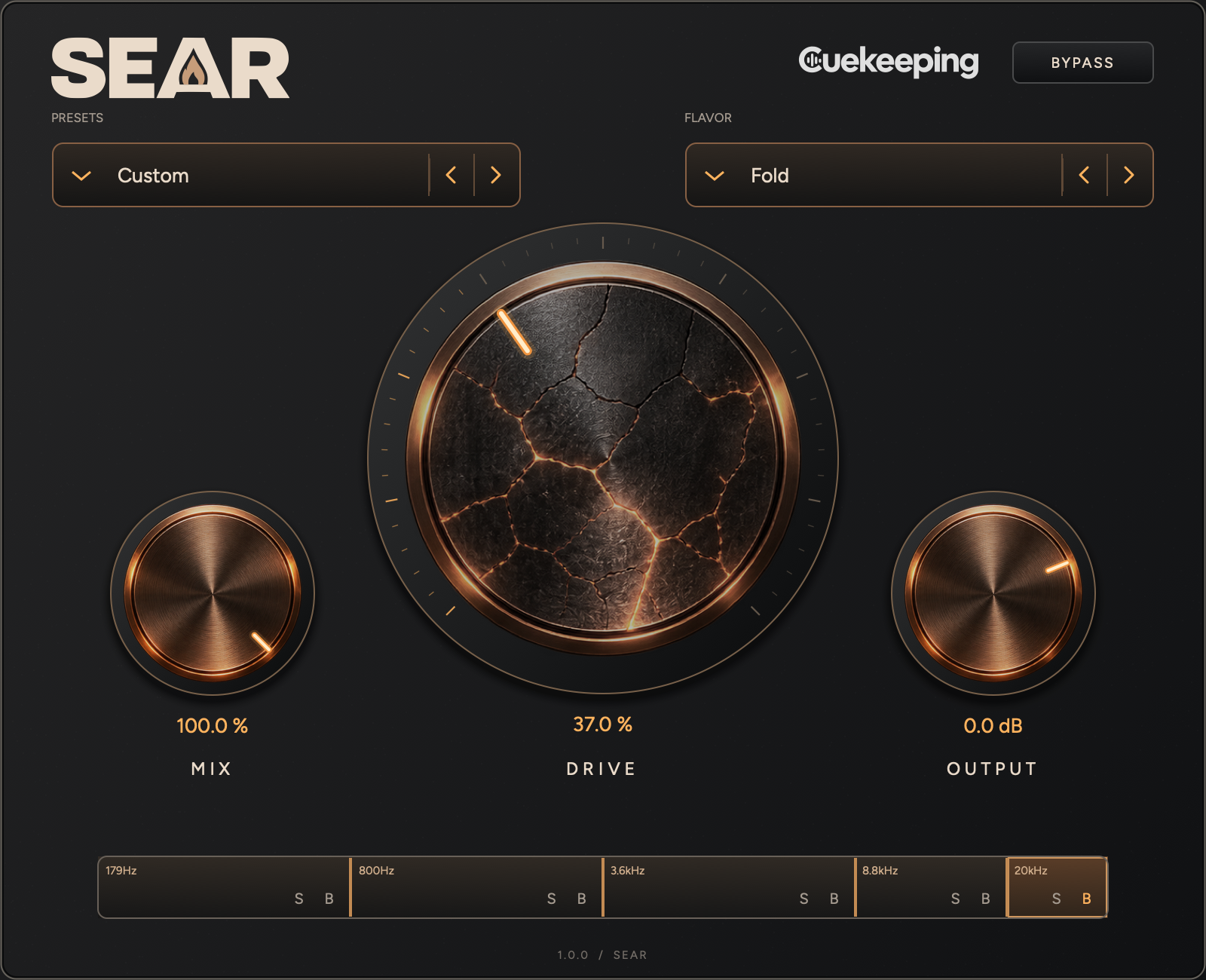
Sear is a multiband saturation and distortion plugin for Mac and Windows. Keep the low end steady while the mids get ugly. Or push the whole thing. Sear gives you saturation and distortion across up to 5 bands, with a different flavor and drive setting for each.
Mac 1.0.1 / Windows 1.0.0
Try every feature free for 14 days. No card required. Open Sear in your DAW and verify your email to start its own trial.
macOS 12 or later. One signed, notarized installer includes AU and VST3 for Intel and Apple Silicon.
Windows 10 or later for x64; Windows 11 for native ARM64 / ARM64EC. Choose the architecture that matches your DAW. Windows installers are unsigned.
Every package includes its installer and user manual. Read the manual.
Mac · Windows x64 · Windows ARM
Sear
Choose the installer that matches your computer and DAW. Each download includes the user manual.
Using an x64 DAW on Windows ARM? Choose Windows x64. Native ARM DAWs use the Windows ARM package.
See it in action
Add harmonic weight to bass or put distortion into a specific part of a synth. Sear splits incoming audio into up to 5 frequency bands, with independent Flavor and Drive settings so the low end can stay steady while the mids break up.
Choose from 9 flavors, including Tape, Warm, Fuzz and Fold. Start with a full-range band or add splits, solo a band to hear the change, then blend the processed signal with the global Mix control.
Sear in action
Hear multiband saturation and distortion on drums, bass braams and synth pulses. Go from subtle warmth to heavy drive, then add movement with LFO automation.
Hear Sear add saturation and distortion to a drum loop. Listen to the attack and body, then try the multiband effect on your own recording.
Watch the drums demoHear Sear shape a bass braam with multiband saturation and distortion.
Watch the braam demoHear Sear process hi-hats and percussion with saturation and distortion.
Watch the hats demoHear Sear add harmonic color and heavier distortion to a synth pulse. Compare the texture while the original audio supplies the notes and rhythm.
Watch the pulse demoTurn a static synth pulse into evolving distortion with LFO-driven automation.
Watch the automation demoChoose from 9 flavors: Tape, Warm, Thick, Glow, Grit, Scorch, Fuzz, Fold and Obliterate. Give a bass some weight, rough up a synth or turn a clean guitar into something less polite.
Start with 1 full-range band. Double-click the strip to add a split, up to 5 bands. Drag the boundaries to choose where the distortion lands. Solo a band to hear it on its own, or bypass its distortion.
10 factory recipes give you a starting point. Adjust the global Mix to blend with the dry signal, then match the level with Output. Automate the controls as the cue builds.
Add bass harmonics while controlling low-end drive, or compare saturation with heavier distortion.
Sear vs. FabFilter Saturn 2 covers bands and internal modulation. Sear vs. Decapitator covers multiband processing and analog-style drive.
Get a first listen to what we're making next.
Sear is a multiband saturation and distortion effect. It processes your audio; it doesn't generate a sound on its own. Use 1 full-range band or split the signal into up to 5 bands with independent Flavor and Drive controls.
Double-click inside the band strip to add a split. Double-click an interior boundary to remove the band on its right. Select a band to change its Flavor and Drive. S solos it; B bypasses its distortion.
Sear is a one-time purchase: $19 for the first 30 days after launch, then $29. You can try every feature free for 14 days, with no card required.
Private preview sessions and automation aren't supported by Sear. Remove the old Cuekeeping Drive Preview plugin before rescanning, because it shares Sear's plugin identity. Keep a backup of those projects.
Sear doesn't include an internal LFO. Use your DAW's automation or host modulation tools to move its exposed parameters. Watch the LFO automation example.
Email support@cuekeeping.com with your OS, DAW, plugin version and what happened.