

The small fixes, in 1 place.
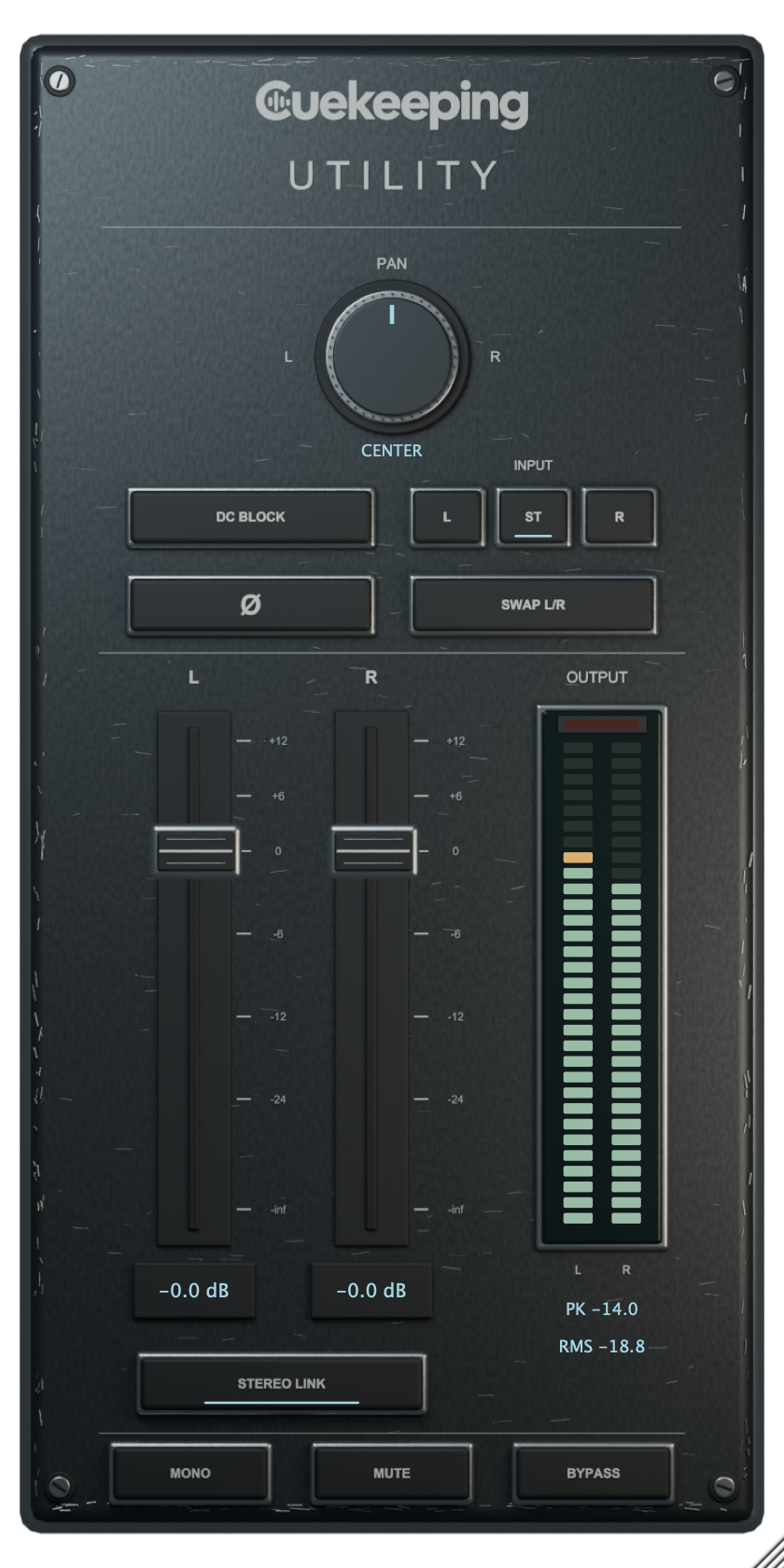
Balance a stereo track, adjust each channel’s gain or check a mix in mono. Utility puts the everyday channel controls on a worn graphite panel with clear output meters.
Choose your
format.
Join the Cuekeeping email list and complete free checkout to get every installer in your account. No plugin activation required.
Mac
macOS 12 or later. One signed, notarized installer includes AU and VST3 for Intel and Apple Silicon.
Windows
Windows 10 or later for x64; Windows 11 for native ARM64 / ARM64EC. Choose the architecture that matches your DAW. Windows installers are unsigned.
Every package includes its installer and user manual. Read the manual.
Mac · Windows x64 · Windows ARM
Utility
Choose your platform.
Join the Cuekeeping email list and complete free checkout. Your account includes all 3 installers. No plugin activation required.
Using an x64 DAW on Windows ARM? Choose Windows x64. Native ARM DAWs use the Windows ARM package.
See it in action
Utility walkthrough
Keep each channel
under control.
Independent left and right faders run from silence to +12 dB. Engage Stereo Link to move both while preserving their level difference. Pan is stereo balance: center leaves both sides at unity, while turning toward 1 side attenuates the other.
L or R input selection copies that channel to both outputs. ST preserves the incoming stereo signal. Swap exchanges the channels, and Ø flips polarity on both together. Mono averages the processed lanes. Bypass passes the original input, including when Mute is engaged.
See the output.
The output meters show sample peaks and 300 ms RMS. Click the red clip light to reset both the clip latch and held peak. Continued clipping relights it. These aren't true-peak or LUFS meters.
Utility reports zero latency and uses 5 ms parameter smoothing. The optional 5 Hz DC blocker is off by default. Source recordings stay untouched.
Option/Alt-click a fader to return to unity, or Pan to center. A linked gain reset affects both faders; an unlinked reset affects only the selected side. Double-click a gain readout to type a value.
Put it to work.
Utility questions
Is Utility free?
Yes. Utility costs $0. A Cuekeeping marketing email signup is required to get the download. The form explains the subscription before you submit, and you can unsubscribe from any marketing email.
Does Utility need activation?
No. The plugin doesn't require activation, an account or an internet connection. The website signup controls the download, not the installed plugin.
Which formats and systems does Utility support?
Mac downloads include AU and VST3 for Apple silicon and Intel on macOS 12 or later. Windows downloads include VST3 for x64 on Windows 10 or later, or ARM64 and ARM64EC for matching hosts on Windows 11 ARM. The Mac installer is signed and notarized. Windows installers are unsigned.
Does the Pan control move both stereo channels across the stereo field?
Pan is a stereo balance control. Center leaves both sides at unity. Moving right attenuates the left channel; moving left attenuates the right. It doesn't move one recorded channel into the opposite side.
What does the polarity switch change?
The Ø switch flips both channels together. It doesn't provide separate left and right polarity switches or a variable phase control. Flipping both sides won't repair a polarity mismatch between them.
What do the output meters measure?
The meters display sample peaks and RMS with a 300 ms response. They're not true-peak or LUFS meters. Click the red clip light to reset the clip latch and held peak.
How do Mono and Bypass work?
Mono averages the processed left and right channels. Bypass passes the original input, including when Mute is engaged. On a mono-in/mono-out bus, the single output follows the left processing lane.
Does Utility add latency or change the original recording?
Utility reports 0 samples of latency. It processes playback without rewriting your source recordings. Control changes use 5 ms smoothing; the optional 5 Hz DC blocker is off by default.